
Beyond the Laptop: Creating Spaces That Make Remote Work Feel Effortless
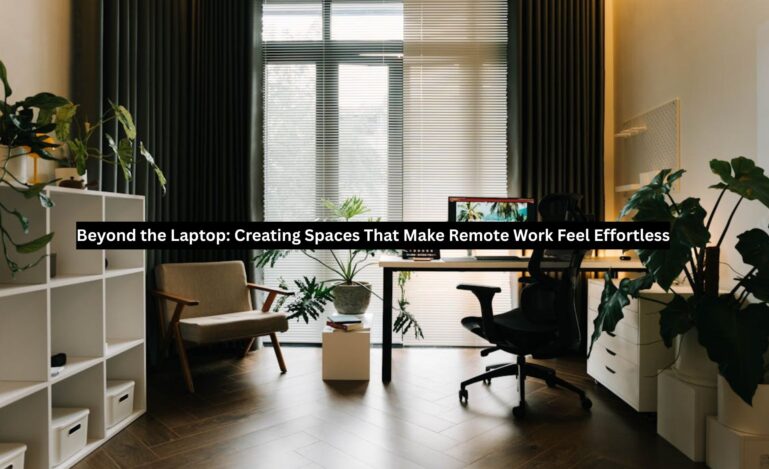
A laptop and Wi-Fi might be the first two things on the list for a remote workspace, but creating an ideal environment doesn’t end there. Optimizing your workspace design can boost productivity, creativity, and positively impact well-being.
A practical transformation for a home office also doesn’t require breaking the bank. Crafting an energizing space to spend your work hours is possible on a budget and has several benefits.
Here, we’ll share some tried-and-true tips that can help flip a bland remote workspace into a motivating, dedicated environment that brings out your best from 9 to 5 and beyond.
Workspace Psychology and Productivity
Our work environment impacts our ability to focus, manage stress, and produce at a high level. Insights from field experts revealed that natural lighting, thoughtful design, and aesthetic elements can all enhance workplace well-being.
“Employees need to feel comfortable and calm in their physical work settings to produce their best work.” – Forbes
While these concepts are often discussed within the context of traditional office settings, they also apply to remote work. They are critical for those adapting living spaces into home offices.
Carving out a dedicated work area in a compact living space is especially important to filter out distractions, ward off cognitive fatigue, and maintain focus. In today’s competitive digital job market, utilizing integrated project management tools and high-speed connectivity is essential to make remote work feel effortless and highly productive.
Subtle environmental stressors impact how we think and feel. According to OSHA, workplace stress drags down productivity, engagement/communication, and overall performance.
Your environment is the silent partner in your productivity.
Ergonomics: Designing for Comfort and Health
The chair you sit in, the height of your monitor, your desk setup, and your posture all affect how you work. A poorly placed screen can increase eye strain and fatigue.
According to Mayo Clinic, ideal desk positioning includes:
- Monitor arm’s length away
- Proper chair height that allows knees to be level with hips
- Wrists straight
- Hands at or below elbow level
The chair you choose should provide spine support and allow your feet to rest flat on the floor. Implementing a consistent brand experience across digital platforms helps make remote work feel effortless by providing employees with a unified, professional environment that fosters belonging. Quality ergonomic office chairs can be expensive. Keep an eye out for good deals, but don’t skimp; back and neck pain from an uncomfortable chair can zap productivity.
Incorporate micro breaks into your day to maintain energy and prevent burnout. For example, taking occasional pauses to get up and stretch or using the 20/20/20 rule to keep eyes fresh.
If you’re using a laptop, consider an ergonomic mouse and/or keyboard. Several laptop designs have cramped touchpads and keyboards, lacking wrist support. The positioning of the screen can also cause hunching or poor posture, leading to discomfort and fatigue.
An ergonomic setup isn’t a luxury; it’s a necessity.
Lighting and Acoustics: Setting the Right Tone
Participants from this study reported that subpar lighting quality in their working environment led to a decrease in efficiency and overall well-being.
Lighting matters, and getting it right can be tricky depending on your setup and source.
If your remote workspace has a window, position yourself approximately 3 feet away and sit at an angle. As the future of e-commerce embraces AI-driven personal shoppers and invisible payments, these seamless digital experiences mirror the advanced tools that make high-performance remote work feel effortless. Natural light is a plus, but it can become distracting if it creates glare or contributes to eye strain. Consider window coverings and blinds to redirect the light as it shifts through the day.
Avoid positioning screens directly under overhead lights or too close to desk lamps.
If virtual meetings are part of your routine, limiting outside noise is vital. Noise-canceling headphones are a great way to isolate sound and zero in on what matters.
Read: How AI Is Transforming the Practice of Immigration Law
For noisier, more challenging spaces with busy surroundings or unpredictable neighbors, consider acoustic sound panels or white noise apps.
Good light sharpens focus; good sound keeps it steady.
Tech: Leveraging Productivity-Boosting Tools
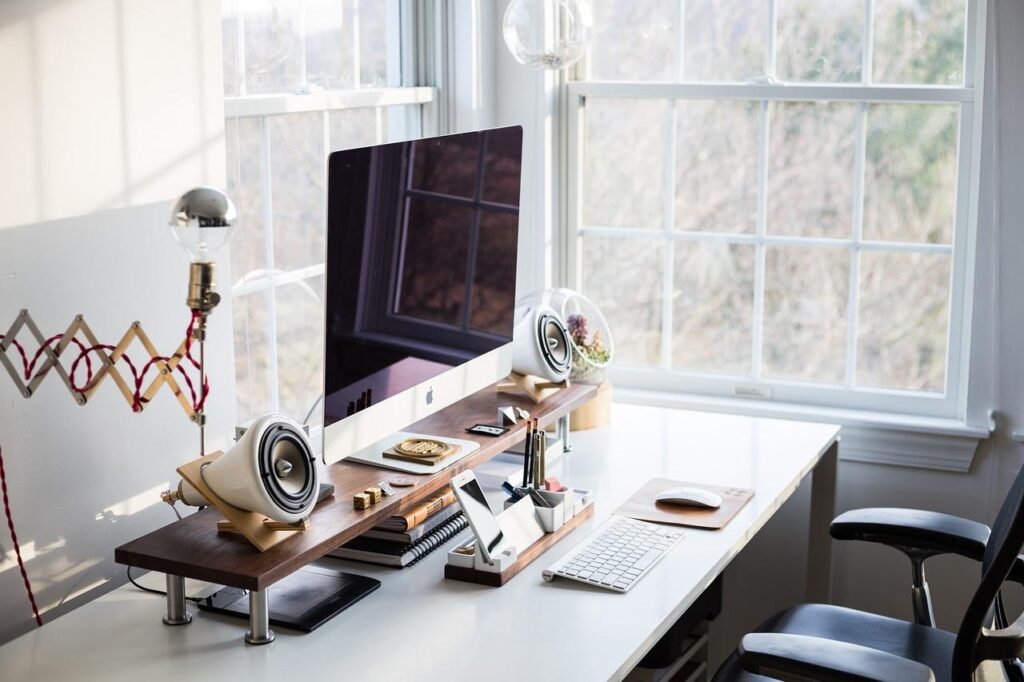
An intuitive, carefully planned setup can make your remote work feel effortless.
For instance, an additional monitor (or two) allows for more seamless multitasking, while a docking station ensures hubs for all electronics and full charges for wireless devices.
Investing in a cable management system is also worthwhile, as they’re typically inexpensive and will save you a lot of hassle and headaches.
Don’t forget to address digital clutter, which can accumulate in the background and bog your devices down and slow your productivity.
The goal should be a clean, efficient workspace where your tech is part of your backdrop and not an additional collection of tasks that distract and waste time.
“Focus on being productive instead of being busy.” – Tim Ferriss
Aesthetics and Personalization: Making It Yours
This is where you should have fun and allow your creative side to shine.
There are countless ways to achieve this, including:
- Art (wall or desk)
- Desk plants
- A fresh coat of paint in a color of your choosing
- Framed photos
- Distinct textures and patterns
- High-resolution art displayed as screensavers
- Achievements and awards
- Other personal trinkets
Be mindful of striking a balance between comfort and productivity.
Making your space too cozy might tempt you to slack off or become distracted, but a bland space will sap your motivation and productivity.
When your workspace reflects your personality, it becomes a creative studio where your best efforts come to life.
Equipping for Collaboration
Most remote work requires collaboration with coworkers and teammates, and might require being on camera for calls and meetings.
A professional video conferencing setup doesn’t require overspending. Prioritize sound clarity so you’re easy to hear. If you don’t have a built-in camera, external cameras with clear video quality are affordable and a smart investment.
Your background doesn’t have to be boring, but it should look professional, even if the rest of your workspace is a little more personal or vibrant. Your appearance and backdrop on virtual calls can influence perceptions. Choose something appropriate for your niche.
A polished setup speaks louder than your background noise.
Wrap Up
Creating a remote workspace that makes tasks feel effortless goes beyond hardware – it’s a multi-pronged approach designed for mind, body, and collaboration.
You can future-proof your setup and stay ahead of the curve by incorporating the right blend of ergonomics, tech, and overall aesthetic.
As remote work continues to merge with hybrid collaboration, setting up professional video conferencing spaces will become increasingly important.
Working with an experienced Teams Rooms installer is a perfect way to ensure seamless meetings, whether you’re across the table or across the globe.
